ConvertBuddy Handwriting Animation Video Maker: Turn Text Into Writing Videos in Chrome
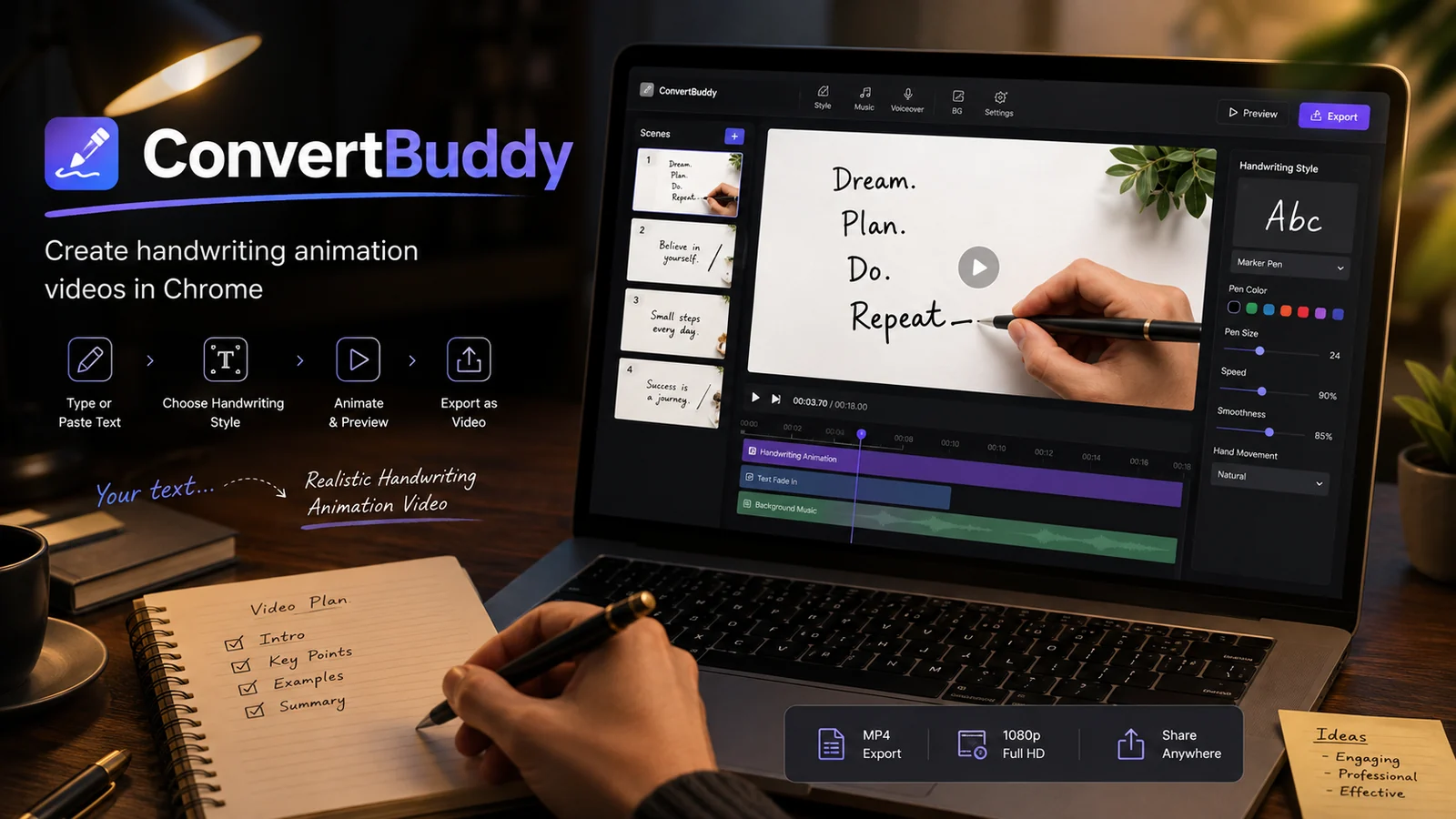
Handwriting animation can make an explanation feel more personal than a static slide. ConvertBuddy is a Chrome-based handwriting animation video maker that turns typed or pasted text into animated writing scenes, then lets you combine those scenes with backgrounds, visual elements, audio, and export options.
From text to an animated writing scene
The basic workflow is straightforward: type or paste text, choose a handwriting style and writing instrument, preview how the writing appears, then export the finished sequence. The extension supports Writing and Story modes along with letter-by-letter, word-by-word, stroke-by-stroke, and instant animation styles.
Writing visuals can be shown as pen-only, hand plus pen, or text-only. That range is useful because a classroom explanation may benefit from a visible hand, while a cleaner presentation may work better with only the writing instrument or finished text.
Pens, pencils, markers and feather quills
ConvertBuddy includes multiple writing instruments such as ballpoint and fountain pens, pencil, marker, chalk, brush, and feather quills. Pen color, size, speed, smoothness, and hand movement can be adjusted to better match the tone of the project.
The goal is not merely to display a handwriting font. The visual interest comes from seeing the writing develop over time, with the chosen hand or instrument moving as the text appears.
Scenes, layouts and creative backgrounds
Projects can contain multiple scenes, duplicated scenes, and transitions. You can combine text boxes and other elements with paper styles, solid colors, gradients, or custom backgrounds. Layout options include landscape 16:9, vertical Shorts 9:16, square 1:1, and portrait 4:5.
Those aspect ratios make the same core tool useful for presentations, educational videos, social posts, short-form video, greetings, stories, and visual explanations. Templates can speed up common compositions while still leaving room for customization.
Audio and export options
Voice recording and local audio tracks can be added to the project. Finished work can be exported to MP4, WebM, or animated GIF, with Full HD and 4K quality options listed by the developer.
For best results, plan the timing before adding too many scenes. Short lines, clear pauses, and a consistent writing speed are usually easier for viewers to follow than dense paragraphs appearing continuously.
Local-first creative workflow
The Chrome Web Store description presents ConvertBuddy as a local-first editor. Projects, selected images, and audio are processed on the device, and the core editor does not require an account. Chrome storage is used for local project data and preferences.
This makes it an interesting option for people who want a browser-based creative workspace without first building a cloud project structure. As with any video project, keeping your own exported copies and project backups is still a sensible habit.
Try ConvertBuddy
Open the official Chrome Web Store listing to review the current extension details, permissions, privacy information, and installation option.
Explore more SemiOffice extensions
Visit the SemiOffice articles collection for more guides to productivity tools and browser-based office workflows.
Share with Friends


