SemiOffice Notes Chrome Extension: Colorful Private Notes, Checklists, Folders and Reminders
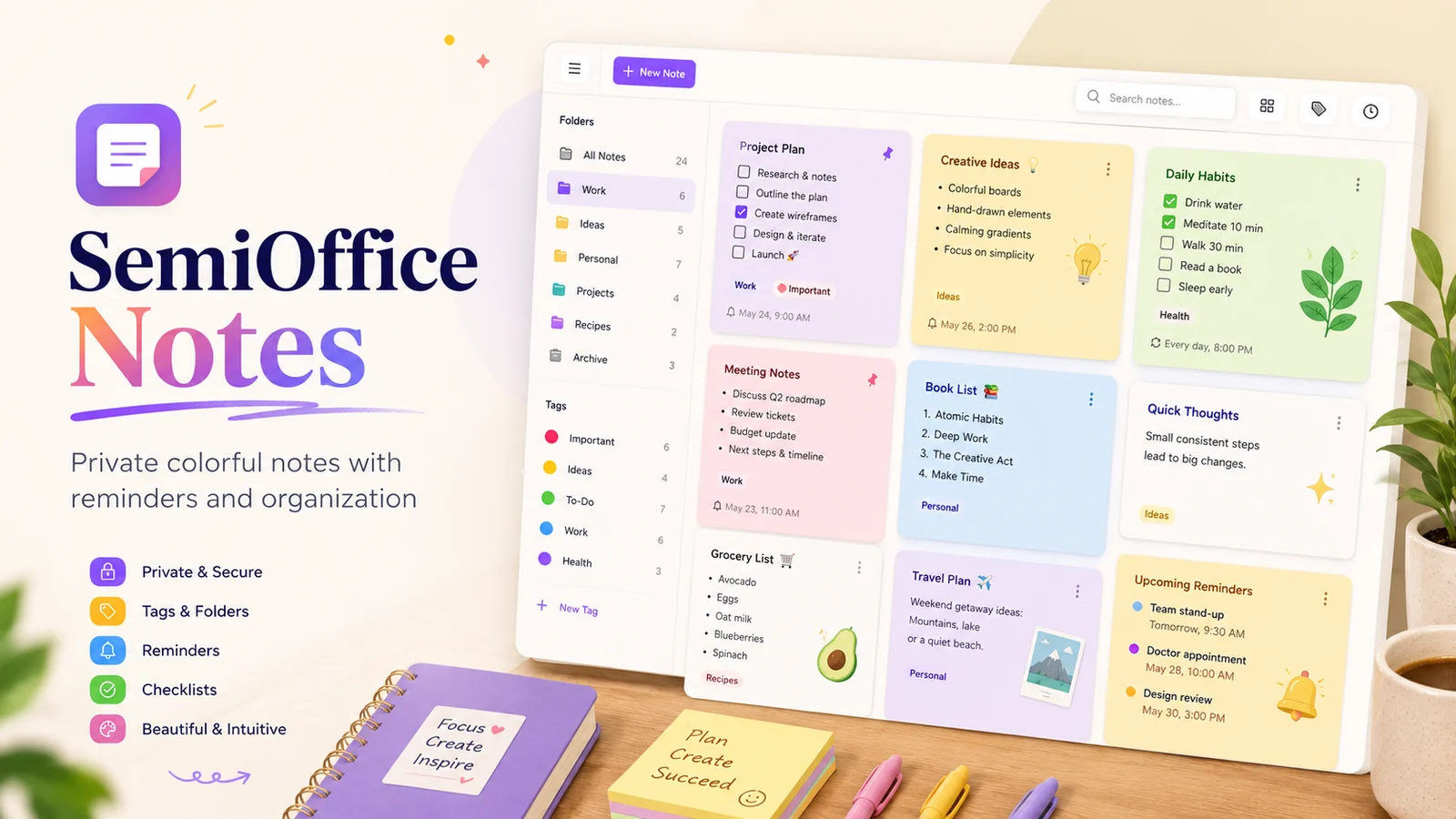
Notes are easy to create and surprisingly easy to lose inside a long, undifferentiated list. SemiOffice Notes takes a more visual approach: notes can be organized with colors, folders, tags, pinned status, search, checklists, templates, and reminders, while the core workspace stays local to the browser.
Color helps information become recognizable
Different colors can be used to distinguish projects, tasks, ideas, meetings, and personal notes at a glance. This is more than decoration when used consistently. A simple color rule can help your eye find the right group before you even read the title.
Folders and tags add a second layer of organization. Folders work well for broad areas such as Work, Projects, or Personal, while tags can describe cross-cutting ideas such as Important, Follow-up, or Waiting.
Quick capture and a larger workspace
SemiOffice Notes can be opened from the browser toolbar for quick capture, while a spacious full workspace is available for larger collections. The board-style view makes it easier to scan colorful cards, search notes, and move between related information.
Pinned notes can keep frequently used items visible, and search reduces the need to remember exactly where a note was filed.
Reminders with practical actions
Important notes can carry reminders. When a reminder becomes due, the extension can show a prominent alert with actions to open the note, dismiss the reminder, or postpone it for 10 minutes, 30 minutes, one hour, or until tomorrow.
Those postpone choices are useful because the right response to a reminder is not always “done” or “ignore.” Sometimes the task is still important but the current moment is wrong.
Templates and checklists for repeatable work
Ready-to-use note structures are included for tasks, weekly planning, meetings, calls, projects, and ideas. A note can also become a practical checklist for follow-ups, daily work, priorities, and simple task management.
Templates are most valuable when they remove the small setup decisions that delay starting. A meeting note that already has space for agenda items, decisions, and follow-ups is easier to use consistently than a blank page.
Local-first notes with backup options
Notes are stored locally in the browser by default, and the core workspace does not require a SemiOffice account or SemiOffice notes server. A local backup file can be exported whenever needed.
The listing also describes optional Google Drive backup designed to save the extension backup in the user’s own Google Drive app-data storage after the user explicitly connects a Google account. SemiOffice does not operate a server for storing the note contents. That gives users a useful distinction between local everyday storage and an optional backup destination they control.
Try SemiOffice Notes
Open the official Chrome Web Store listing to review the current extension details, permissions, privacy information, and installation option.
Explore more SemiOffice extensions
Visit the SemiOffice articles collection for more guides to productivity tools and browser-based office workflows.
Share with Friends


