SemiOffice Tasks Chrome Extension: Manage Daily Tasks, Reminders and Productivity Reports
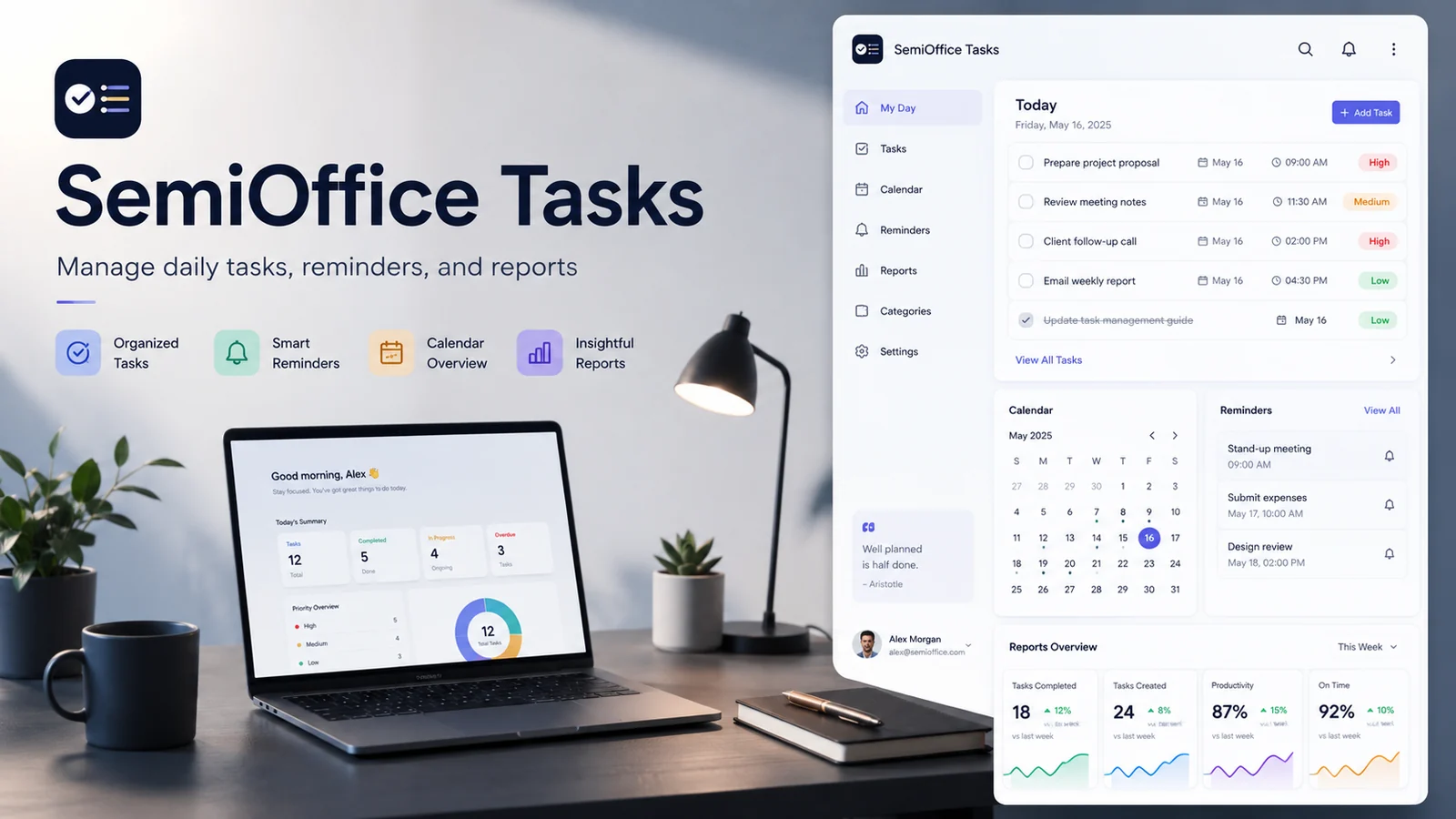
A task list is most useful when it stays close to the work it represents. SemiOffice Tasks uses Chrome’s side panel so tasks, reminders, quick notes, calendars, and reports can remain available beside the webpages you are already using rather than living in a separate tab that is easy to forget.
A side-panel task manager for everyday work
The extension supports up to 500 locally stored tasks. Each task can carry a due date, reminder, and high, medium, or low priority. Status views distinguish overdue work, today, tomorrow, and completed items, while pinned tasks keep important work visible.
The side-panel approach is particularly convenient for web-based work. You can review a deadline while reading an email, create a follow-up while looking at a client page, or check today’s priorities without covering the page you are using.
Reminders and calendar visibility
Scheduled tasks can be reviewed through a calendar view, and Chrome reminder notifications can alert you when a task is due. This helps turn a static to-do list into a simple time-aware planning system.
A useful habit is to reserve reminders for tasks that genuinely require attention at a specific time. If every task triggers a notification, important reminders can quickly become background noise.
Completed work stays available
One thoughtful design choice in the store description is that completing a task does not delete it. Completed work remains available until the user deliberately removes it through the trash action and confirmation step.
That makes it easier to review what was accomplished during the day or week, and it provides useful context when creating a progress report.
Reports and Quick Note
SemiOffice Tasks can create daily, weekly, and monthly productivity reports. Report actions include copy, download, and print, making the summary useful for personal review or for moving information into a larger work document.
A locally saved Quick Note is also included for drafts, checklists, and short reminders. It is useful when an idea is too small to become a formal task but still needs to be captured before it disappears.
Local storage and a focused privacy model
The extension does not require an account. Its listing states that task titles, notes, reminder details, and completion history remain in Chrome local extension storage, and that the extension contains no advertising or analytics.
That local-first model suits people who prefer a lightweight personal task manager. It also means the browser profile is important, so exporting anything you cannot afford to lose is a sensible precaution when changing devices or browser profiles.
Try SemiOffice Tasks
Open the official Chrome Web Store listing to review the current extension details, permissions, privacy information, and installation option.
Explore more SemiOffice extensions
Visit the SemiOffice articles collection for more guides to productivity tools and browser-based office workflows.
Share with Friends


