TypingTutor.Online Chrome Extension: Build Touch-Typing Skill With Lessons, Practice, Tests and Games
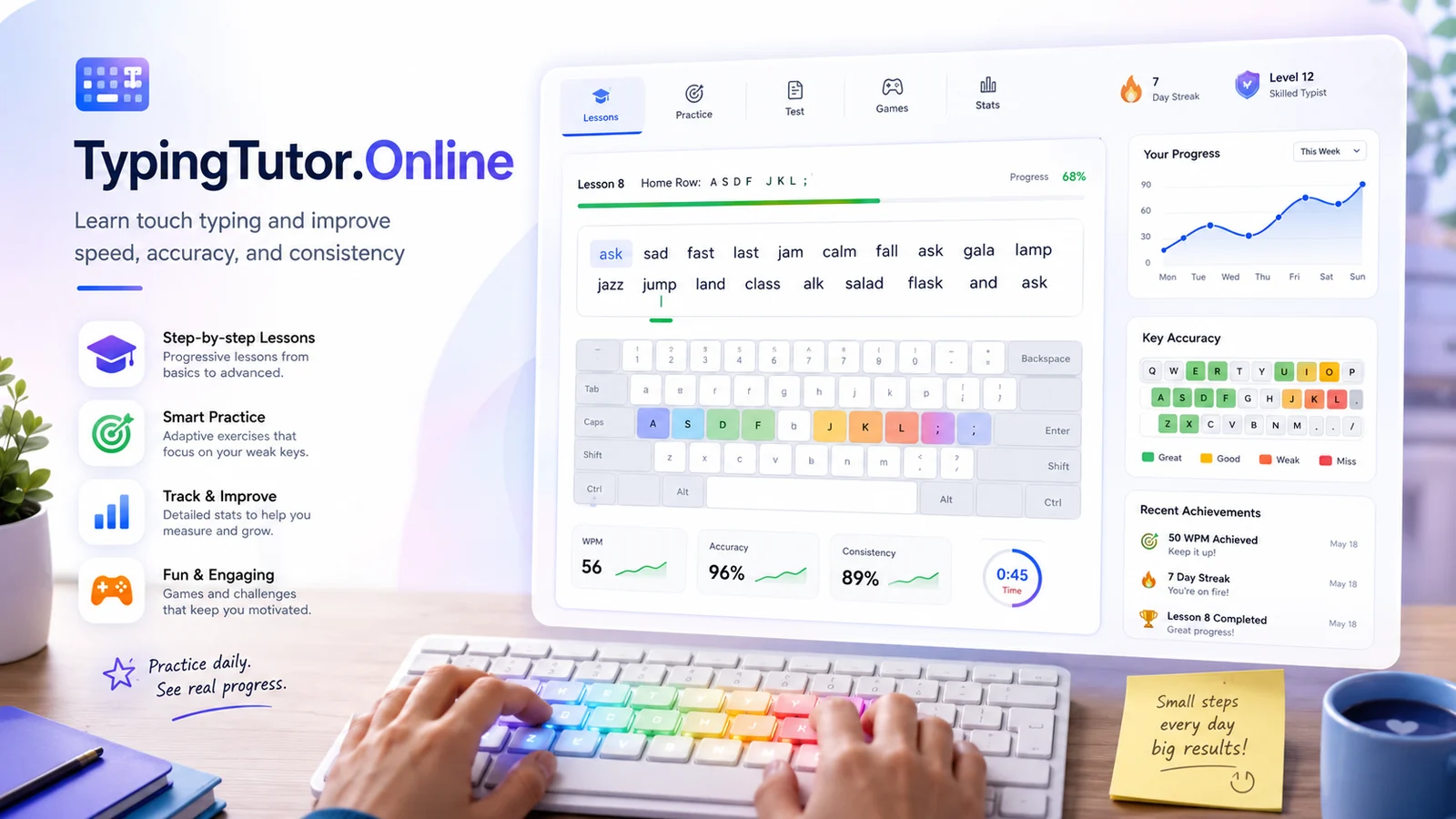
Touch typing improves through repetition, but repetition works best when it is structured. The TypingTutor.Online Chrome extension brings lessons, short practice sessions, tests, games, daily goals, and progress feedback into an accessible Chrome companion so practice can become a regular habit instead of an occasional project.
A guided path for beginners
The extension includes a progressive beginner course with 24 guided lessons. On-screen keyboard guidance, next-key highlighting, and finger guidance are intended to help new learners understand where each key belongs before speed becomes the priority.
That progression matters because learning every key at once can create unnecessary frustration. A staged course lets the learner build familiarity in smaller groups, then combine those keys in increasingly natural words and exercises.
Smart practice for weak keys
Typing improvement is rarely uniform. Most people have a few keys, combinations, or fingers that create a disproportionate number of errors. The extension uses recent local practice information to create adaptive drills around weak keys and accuracy, helping practice focus on the areas that need attention.
Short 1-minute and 3-minute practice options make it easier to fit a useful session between other tasks. Custom-text practice is also available, with reusable local history for material you want to practice again.
Tests, games and measurable progress
The extension includes a 1-minute speed test and a 3-minute accuracy test, together with typing games such as Word Rush and Accuracy Master. These different modes help prevent practice from feeling identical every day.
Progress information includes WPM, accuracy, errors, streaks, daily goals, personal bests, seven-day activity, weekly challenges, and achievements. The important point is not to chase a high WPM number at the expense of technique; use the measurements to notice trends and keep accuracy stable as speed increases.
10-key numpad learning and broader practice
The current Chrome Web Store description also includes 10-key numpad learning. This is valuable for people who enter invoices, accounting figures, inventory quantities, data, or other numeric information and want to develop a more consistent keypad technique.
The extension can connect learners to the wider TypingTutor.Online platform for deeper lessons, tests, games, statistics, and certificates, while keeping the Chrome companion lightweight for regular practice.
Privacy-conscious learning
Practice text, lesson progress, test results, game results, weak-key statistics, settings, daily goals, achievements, and recent activity are stored in Chrome local extension storage according to the listing. The extension states that it does not monitor browsing history or typing on other websites.
A selected-text practice command is available when the user deliberately selects webpage text and chooses the typing practice command. That keeps the action user-initiated rather than continuously reading what you type elsewhere.
Try TypingTutor.Online
Open the official Chrome Web Store listing to review the current extension details, permissions, privacy information, and installation option.
Explore more SemiOffice extensions
Visit the SemiOffice articles collection for more guides to productivity tools and browser-based office workflows.
Share with Friends


